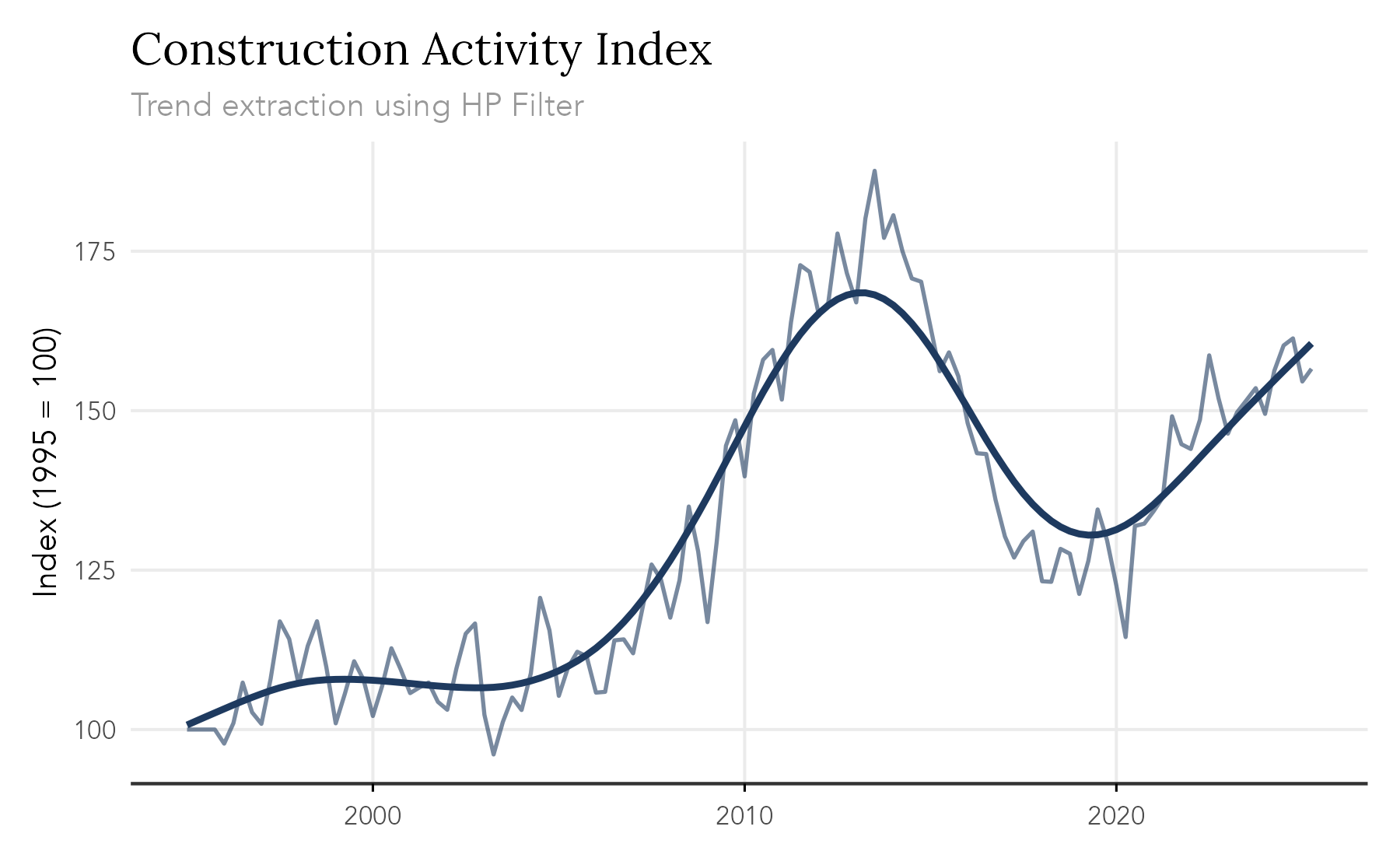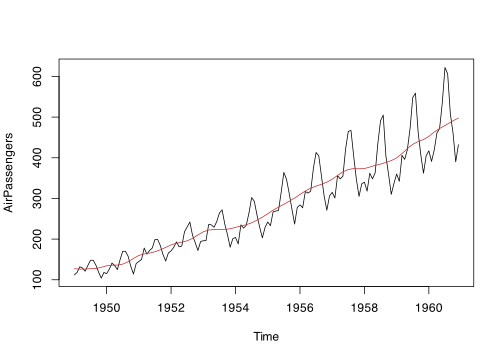
The goal of trendseries is to provide a modern, pipe-friendly interface for exploratory analysis of time series data in conventional data.frame format. The package simplifies the workflow of trend extraction, especially when working with data.frame type objects and grouped time series. It offers popular econometric and statistical methods for trend decomposition like STL, HP filter, and moving averages.
Why trendseries?
Working with economic time series in R often involves cumbersome conversions between data frames and ts objects. Most filtering methods are designed for ts objects, but modern data analysis workflows use data.frame/tibble/data.table with date columns.
While base R provides a rich variety of time series methods, each function has its own set of arguments and naming conventions. Using dplyr with time series can also be messy, since dplyr::filter masks stats::filter, used for basic moving averages.
Popular econometric filters, like the HP filter, the Hamilton filter, and the Henderson filter are spread across multiple packages, which worsens the issue of standardization.
All of these issues that away time from the typical workflow of data analysis. trendseries aims to make this all simpler by providing a single function augment_trends that adds estimated trends as new a column to a dataset. When possible, it also tries to offer standard parameter names.
trendseries is designed for exploratory time series analysis, with a primary focus on monthly and quarterly economic data. It prioritizes simplicity and consistency. It should be mentioned that certain methods (STL, moving averages, smoothing methods) can handle daily and complex frequencies.
Getting Started
Installation
Install trendseries from CRAN of download the development version from GitHub.
install.packages("trendseries")
# install.packages("devtools")
devtools::install_github("viniciusoike/trendseries")The package provides two main functions: augment_trends() for data.frame objects and extract_trends() for time series objects.
augment_trends()
The augment_trends() function works by adding trends as new columns to an existing dataset. It’s main purpose is to simplify trend extraction and visualization in an EDA workflow.
library(trendseries)
# Simple workflow
gdp_construction |>
augment_trends(value_col = "index", methods = "stl")
# Grouped analysis
multi_series |>
augment_trends(
value_col = "value",
methods = c("hp", "stl"),
group_vars = "country"
)When possible, trendseries tries to standardize parameter names across methods. For instance, stats::stl() uses s.window for it’s seasonal window, RcppRoll::roll_mean() uses n for the window size of the moving average, and stats::runmed() uses k for the window size of the running median. In all of these cases, the unified parameter name is window.
# Example: window parameter standardization
gdp_construction |>
augment_trends(value_col = "index", methods = "stl", window = 17)
gdp_construction |>
augment_trends(value_col = "index", methods = "ma", window = 12)
gdp_construction |>
augment_trends(value_col = "index", methods = "median", window = 5)Note that stl has both a t.window and s.window parameters, but trendseries assumes the users wishes to choose the latter and not the former. This case illustrates how trendseries tries to simplify the workflow by being opinionated about default user choices.
For finer control of parameters, however, the user can supply a named list of arguments using params.
gdp_construction |>
augment_trends(
value_col = "index",
methods = "stl",
params = list(s.window = 17, robust = TRUE)
)
extract_trends()
The extract_trends() function works by extracting trends directly from time series objects. Although it’s typically less useful than augment_trends(), it can be useful for quick exploratory analysis or when working with a few time series.
# Extract trends from ts objects
extract_trends(AirPassengers, methods = "spencer")
# Convert to ts and extract trend
ts_data <- df_to_ts(gdp_construction, frequency = 4)
extract_trends(ts_data, methods = "hp")Unified Parameter System
All methods use a consistent parameter interface when possible.
-
window: Controls the period for moving averages and related methods. -
smoothing: Controls smoothness for HP, LOESS, splines. -
band: Specifies frequency bands for bandpass filters (e.g.,c(6, 32)for business cycles). -
params: Named list for method-specific parameters.
Simple Example
The example below shows how to compute a STL trend across multiple time series using the retail_volume dataset that comes with the package.
library(dplyr)
library(ggplot2)
library(trendseries)
retail_trends <- retail_volume |>
dplyr::filter(date >= as.Date("2018-01-01")) |>
augment_trends(
methods = "stl",
group_vars = "name_series"
)
ggplot(retail_trends, aes(x = date)) +
geom_line(aes(y = value), alpha = 0.5) +
geom_line(aes(y = trend_stl), lwd = 0.8) +
facet_wrap(vars(name_series), scales = "free_y") +
labs(
x = NULL,
y = "Index (2023 = 100)",
title = "Retail Volume Index",
subtitle = "Selected retail volume indices with STL trend."
) +
theme_bw()
Available Methods
trendseries includes a comprehensive set of trend extraction methods optimized for economic time series analysis. The default values for each method take the frequency of the series into account and try to provide a good starting value. An applied workflow, however, will typically demand fine-tuning of parameters.
| Method | Description | Key Parameters |
|---|---|---|
hp |
Hodrick-Prescott filter (two-sided or one-sided) |
smoothing (λ), params = list(hp_onesided = TRUE) for real-time |
bk |
Baxter-King bandpass filter |
band (cycle range) |
cf |
Christiano-Fitzgerald asymmetric filter | band |
hamilton |
Hamilton regression filter | params = list(hamilton_h, hamilton_p) |
bn |
Beveridge-Nelson decomposition | - |
ucm |
Unobserved components model | params = list(ucm_type) |
ma |
Simple moving average (SMA) |
window, align
|
wma |
Weighted moving average |
window, align
|
ewma |
Exponential weighted moving average |
smoothing or window
|
median |
Median filter (robust) | window |
gaussian |
Gaussian-weighted moving average |
window, align
|
loess |
Local polynomial regression |
smoothing (span) |
spline |
Smoothing splines | smoothing |
stl |
Seasonal-trend decomposition |
window (s.window parameter) |
kalman |
Kalman filter/smoother |
smoothing or params
|
poly |
Polynomial trends | params = list(poly_degree, poly_raw) |
Key Features
Multiple Methods
Works with multiple methods in a single function call.
# Apply different trend-exaction methods
country_gdp |>
augment_trends(
value_col = "gdp",
methods = c("hp", "ma", "stl")
)Grouped Operations
Work with multiple time series effortlessly.
# Apply same trend method to multiple countries
multi_country_gdp |>
augment_trends(
value_col = "gdp",
methods = "hp",
group_vars = "country"
)Intelligent Column Naming
Avoid naming conflicts with automatic column renaming.
# Creates: trend_hp, trend_ma, trend_loess
data |>
augment_trends(methods = c("hp", "ma", "loess"))
# With custom suffixes for different parameters
data |>
augment_trends(methods = "ma", window = 4) |>
augment_trends(methods = "ma", window = 12)
# Creates: trend_ma (window=4), trend_ma (window=12, auto-renamed)trendseries vs. Traditional Workflow
Working without trendseries usually requires converting from data frames to ts and finding out how to get the estimated trend from the modeled series. In some cases this also requires loading an additional package that contains the function with the filter-extraction method.
The stl function, for example, stores the trend values inside $time.series as a named time series. In this case, converting back to the original data frame is easier since STL doesn’t produce NA values and we can recover the date information using time. In other cases, converting back to the original data frame can be more involved.
# Manual ts conversion
gdp_ts <- ts(data$gdp, frequency = 4, start = c(1996, 1))
# Apply filter
model <- stats::stl(gdp_ts, s.window = "periodic")
trend <- model$time.series[, "trend"]
# Convert back and merge
trend_df <- data.frame(
date = as.Date(time(gdp_ts)),
trend = as.numeric(trend$trend)
)
result <- left_join(data, trend_df, by = "date")With trendseries, as seen above, this can be accomplished in a single step.
data |>
augment_trends(value_col = "gdp", methods = "stl")Currently, a downside of trendseries is that it returns only the “trend” estimate, ignoring the “remainder” and “seasonal” components.
What are the alternatives to trendseries?
The closest alternative to trendseries is the tsibble/fable ecosystem, which provides a model() function for applying models — including some trend extraction methods — to grouped time series. Like trendseries, these packages integrate well with tidyverse tools and pipes.
However, fable was designed primarily for forecasting, which means its trend extraction capabilities are more limited. They also lack some popular methods commonly used by economists, such as the HP filter and the Hamilton filter.
Additionally, these packages require using the tsibble data structure, which pulls users away from the familiar data.frame/tibble format. For users working with just a few time series and relying on R’s built-in ts functionality, the tsibble structure can feel unnecessarily complex.